Build a High-Converting Change readiness assessment Lead Magnet
Learn to create a change readiness assessment that turns visitors into qualified B2B leads. A complete guide to design, scoring, automation, and promotion.

What exactly is a change readiness assessment? It’s a tool businesses use to figure out how prepared their organisation—from the teams on the ground to the corner office—is to actually handle a big change.
But instead of packaging this up as another boring, static PDF, what if you turned it into an interactive assessment? Suddenly, it’s not just a document; it’s a dynamic lead magnet. It gives the user instant, personalised feedback and, in return, you get a treasure trove of data about their business. You’ve just turned a simple content download into a seriously smart qualification engine.
Why an Interactive Assessment Is a B2B Lead Magnet Powerhouse

Imagine a lead magnet that doesn't just collect dust in a downloads folder but actively qualifies your prospects for you. That’s the magic of an interactive change readiness assessment. Unlike a generic ebook or whitepaper, this tool starts a two-way conversation, delivering real value in exchange for a peek into their biggest business challenges.
This isn't just a small step up from traditional content marketing; it's a completely different game. It taps into that powerful human itch for self-discovery and benchmarking. Your prospects are constantly asking themselves, "How do we stack up?" and "Where are our blind spots?" An assessment gives them the answers, making it an irresistible offer for anyone navigating the choppy waters of organisational change.
You're Capturing Zero-Party Data
One of the biggest wins here is the zero-party data you'll collect—that's the gold-standard info a customer willingly and proactively hands over. A standard lead form might get you a name and an email. An assessment, on the other hand, uncovers the juicy details, like:
- How aligned their leadership team really is.
- The current state of their tech stack and where it's failing them.
- Employee morale and potential pockets of resistance.
- Whether their internal communication is effective or a total mess.
This data is pure gold for your sales and marketing teams. It lets you segment your audience with terrifying precision, instantly telling you who’s ready to buy versus who needs more nurturing. To get a better handle on this, you can learn more about the fundamentals of interactive marketing and see how it drives this kind of deep engagement.
It Sparks High-Intent Conversations
An interactive assessment doesn't just create leads. It creates high-intent, sales-ready leads.
Think about it. When someone takes the time to complete an assessment, they're actively diagnosing a pain point they know they have. The results page then becomes your perfect opportunity to offer tailored advice that nudges them straight toward your solution.
For instance, a low score in "Employee Communication" could trigger a results page that serves up a case study on improving internal messaging. A prospect who scores high on "Leadership Alignment" but low on "Resource Capacity"? That’s someone with buy-in but not the tools—a perfect, pre-qualified conversation starter for your sales team.
The real power of an interactive change readiness assessment is that it flips lead generation on its head. It goes from being a passive data-collection exercise to an active diagnostic dialogue. It frames your company not as just another vendor, but as an expert partner who understands their specific challenges from the very first click.
You can even tie this directly to bottom-line business results. For example, by incorporating questions related to employee engagement, you can connect their readiness score to tangible financial outcomes, creating a sense of urgency. The conversation shifts from fuzzy concepts to concrete business value, and that’s a conversation people want to have.
Designing Questions That Diagnose and Qualify
The heart of a killer change readiness assessment isn't the flashy design or the slick results page. It's the questions. Get them wrong, and you've just built a pointless click-through exercise. Get them right, and you've created a powerful diagnostic tool that practically hands you qualified leads.
Before you even think about writing a single question, you need to be brutally honest about your goal. What specific pain point are you solving for the user? And just as importantly, who is the exact type of prospect you're trying to attract? This isn’t just about being helpful; it's about engineering a conversation.
The real magic is in the double-duty nature of each question. Every single one needs to achieve two things at once: first, it has to make the user stop and think, genuinely reflecting on their own company's situation. Second, it has to feed you the data points you need to know if they’re a good fit for what you sell.
To nail this, you first need a solid definition of what constitutes a qualified lead in sales. Without that clarity, your questions will be aimless, pulling in leads that waste your sales team's time.
Balancing Simplicity and Depth
Your assessment should feel less like a formal audit and more like a conversation with a trusted advisor. People are busy and have the attention span of a goldfish. That means your questions must be dead simple, free of corporate jargon, and quick to answer.
Long, convoluted questions are the enemy. They create friction, cause people to second-guess themselves, and are the number one reason for high drop-off rates.
Let's break down the core pillars of change readiness and see how we can turn them into simple, insightful questions.
- Leadership Alignment: Is the executive team actually on the same page and visibly driving the change? A wobble here is a massive red flag.
- Employee Communication: How does information really travel through the organisation? Bad communication is where change initiatives go to die.
- Technological Infrastructure: Can their current systems even handle the new way of working? Outdated tech is a classic, expensive roadblock.
- Resource Capacity: Do they have the people, time, and money to actually pull this off?
Your job is to transform these big, abstract ideas into concrete questions that someone can answer in five seconds. For more patterns on how to do this well, check out our deep dive on how to make an online quiz.
Structuring Questions for Maximum Insight
The way you ask is just as critical as what you ask. Different question formats are better for capturing different kinds of data, and they completely change the user experience.
Different question types serve distinct strategic purposes. Some are great for segmenting your audience, while others excel at capturing nuanced sentiment. Mixing and matching them is key to building a comprehensive picture of a prospect's readiness.
The table below breaks down a few common types and how you can use them.
Question Design Framework for Change Readiness
| Dimension | Example Question | Question Type | Data Captured |
|---|---|---|---|
| Leadership | "How would you describe your leadership's public stance on this initiative?" | Multiple Choice | Clear segmentation signal (e.g., Aligned, Divided, Unengaged). |
| Communication | "Our employees understand the business reasons behind this change." (Rate agreement) | Likert Scale | Nuanced sentiment and confidence level (from 1 to 5). |
| Technology | "Which of these systems will be most impacted by the proposed change?" (Select all that apply) | Checkbox | Identifies specific pain points and tech stack details. |
| Resources | "What is your estimated budget for change management support this year?" | Slider / Range | Quantitative data for qualifying based on budget. |
By combining these formats, you get a much richer data set than you would from a simple survey, giving your sales team incredible context for their first call.
Multiple-Choice Questions
These are the backbone of any good assessment. They're fast, mobile-friendly, and perfect for bucketing users into different segments based on their answers.
- Example (Leadership): "How would you describe your leadership team's public stance on the upcoming change initiative?"
- A) Fully aligned and actively championing it.
- B) Generally supportive, but not highly visible.
- C) Divided, with some leaders expressing private concerns.
- D) Mostly silent or unengaged on the topic.
Scaled-Response Questions (Likert Scale)
These are fantastic for measuring squishier concepts like confidence, agreement, or sentiment. They give you a much more nuanced view than a simple yes/no.
- Example (Communication): "To what extent do you agree with this statement: 'Our employees understand the business reasons behind this change.'"
- Strongly Disagree
- Disagree
- Neutral
- Agree
- Strongly Agree
A well-designed question flow builds momentum. Start with broader, easier questions to build confidence before moving into more specific or sensitive topics. This structure encourages completion and provides a more satisfying diagnostic experience for the user.
Finally, think about the flow. The order matters. Grouping questions by theme (e.g., all leadership questions together) creates a logical journey for the user. It feels professional and guides them smoothly from start to finish. This thoughtful structure is what elevates a simple quiz into a true diagnostic powerhouse.
Creating a Smart Scoring and Segmentation Model
Now that you've crafted some killer questions, it's time for the magic. This is where you build the engine that turns those clicks and answers into genuinely personal, valuable results.
Frankly, a change readiness assessment is only as good as the insights it delivers. We're moving beyond simple data collection and into building a smart scoring and segmentation model that gives people a crystal-clear picture of where they actually stand.
Think of this model as the brain of your assessment. It takes the raw answers and runs them through a logic you've designed to produce a meaningful diagnosis—something that feels custom-made, not like a generic quiz score.
Developing a Weighted Scoring System
Not all questions are created equal. A question about leadership alignment is a much heavier indicator of change readiness than one about familiarity with project management software. A smart scoring system knows this and assigns different point values to different answers.
Imagine your assessment is built around three core pillars: Leadership, Communication, and Resources.
- Leadership Questions: These are the big ones. A positive answer like, "Leadership is fully aligned and championing the change," might be worth 10 points.
- Communication Questions: Also critical, but maybe a half-step down. A strong "Yes, we have a clear, multi-channel communication plan" could be worth 7 points.
- Resource Questions: More tactical, but still important. An answer confirming sufficient budget and staffing might only be worth 5 points.
By weighting questions like this, the final score becomes a far more accurate reflection of a user's true readiness. It stops a high score in a less critical area from hiding a gaping hole in a more important one.
The goal isn't just to spit out a number; it's to create a diagnostic metric. Your scoring logic should be built to spotlight the biggest risks and strengths, forcing the user's attention onto what truly matters.
Segmenting Users into Actionable Personas
A raw score is just a number. "You scored 75/100" is forgettable. The real value comes when you use that score to slot users into distinct personas. This transforms a generic result into a specific identity—like "You're a 'Cautious Adopter'"—that hits home and feels personal.
These personas are just buckets you create based on score ranges. For a change readiness assessment, your segments could look something like this:
- Change Champions (Score 80-100): These folks are ready to go. They have aligned leadership, strong communication, and the resources to back it up.
- Cautious Adopters (Score 50-79): They've got some good things going but also some serious gaps, often in employee buy-in or resource allocation. They're interested, but hesitant.
- Skeptical Teams (Score 0-49): Here lie the major roadblocks—leadership misalignment, terrible communication, you name it. They are high-risk and need to work on the fundamentals.
This segmentation is the bridge between your assessment and your entire follow-up strategy. Each persona is a different type of lead with different needs, allowing you to tailor your marketing and sales conversations with incredible precision. You can see how this data can fuel your marketing platform in our guide on lead scoring in HubSpot, which gets into the nitty-gritty of automating this process.
The flowchart below shows how this all connects—how a clear goal shapes your questions, which in turn feeds the data directly into your scoring and segmentation logic.
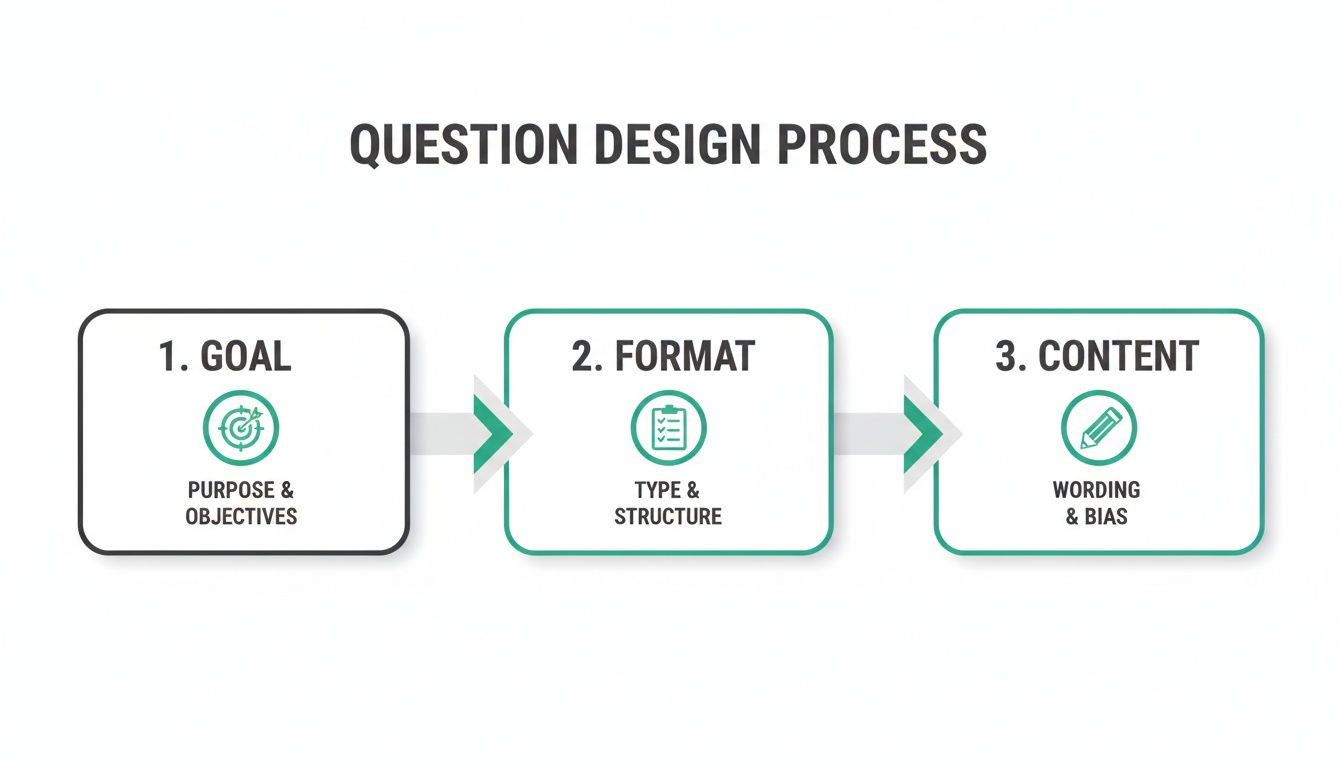
It’s a simple flow: clear goals lead to the right questions, which provide the exact data needed for your model to work its magic.
100% Free Lead Magnet Audit
Our AI analyzes your website and delivers custom growth strategies in seconds.
Building Custom Results Pages for Each Segment
The final piece of the puzzle is creating a unique results page for each persona. A generic "Thanks for taking the quiz!" page is a massive wasted opportunity. This is your moment to deliver immediate, personalised value and nudge the user toward the next logical step.
Here’s how you could structure a results page for a 'Cautious Adopter':
- State Their Persona, Plain and Simple: "Based on your answers, your organisation fits the 'Cautious Adopter' profile." No ambiguity.
- Explain What That Actually Means: "This tells us you've got some solid foundations, probably with leadership support, but you're facing real challenges with employee communication and getting the right resources in place."
- Give Them Actionable Advice: Offer specific, helpful next steps. "Your first priority should be creating a clearer communication plan. Here are three things you can do this week..."
- Present a Relevant Call-to-Action (CTA): Guide them toward a solution you offer. "Want to jump on a 15-minute call to map out a simple but effective change communication strategy?"
This targeted approach makes the user feel seen and understood. It hands them advice that speaks directly to their diagnosed problems, turning your assessment from a simple quiz into a powerful consultation tool that generates highly qualified, sales-ready conversations.
Technical Implementation and Automation Workflows

You’ve got a killer question framework and a smart scoring model. Now it’s time to actually build the thing. This is where your strategy gets plugged into technology, turning a great idea into a lead-generating machine that works while you sleep.
The goal is a seamless, intuitive, and—most importantly—automated experience.
Your tech options range from simple quiz builders to full custom-coded solutions. Honestly, the right path just depends on your budget, your team's skills, and how complex your scoring logic is. No matter what you choose, the absolute priority is a smooth, mobile-first user experience. A clunky interface will tank your completion rates before anyone even sees their results.
But the real magic happens when you connect your assessment directly to your marketing automation platform, like HubSpot or Marketo. This is what transforms your quiz from a static piece of content into a dynamic lead qualification engine.
Connecting Your Assessment to Your CRM
First things first: you need to map the data you collect to fields in your CRM. This isn't just about grabbing a name and email. We're talking about capturing rich, zero-party data that tells you exactly what a prospect is struggling with.
For every single person who completes the assessment, you should be pushing these key data points into their contact record:
- Final Score: Create a custom property just for their numeric readiness score.
- Readiness Persona: Map their segment ('Change Champion', 'Cautious Adopter', etc.) to another contact property.
- Specific Pain Points: Use tags or multi-select fields to log their answers to critical questions, like flagging that "Leadership Alignment" is a major hurdle.
- Assessment Completion Date: Timestamp the interaction. This helps you track engagement over time.
This detailed profile is what allows for seriously targeted follow-up. It's the difference between a generic "Thanks for your interest" email and a hyper-relevant message that speaks directly to the problems they just told you they have.
Designing Intelligent Automation Workflows
Once the data is flowing into your marketing platform, you can build workflows that automatically route leads and trigger nurture sequences based on their results. This is how you put your segmentation model to work at scale. If you're new to this, learning how to implement marketing automation is the crucial step that makes all this possible.
Let's break down what this looks like for our three personas.
Workflow for 'Change Champions' (High Score) This group is hot. They know they have a need and are probably ready for a sales conversation. The goal is speed.
- Instant Lead Routing: The workflow immediately creates a task for the right sales rep and assigns them the contact. No delays.
- Internal Notification: A Slack or email alert pings the rep with the lead's name, company, score, and a direct link to their CRM profile.
- Personalised Email: An automated but plain-text email goes out from the assigned rep, mentioning their high score and suggesting a quick call to talk strategy.
Workflow for 'Cautious Adopters' (Mid Score) This group is on the fence. They see the challenges but need more education and a confidence boost before they're ready to buy.
- Enter Nurture Sequence: The lead is automatically enrolled in an email sequence focused on their specific pain points (like communication or resources).
- Deliver Targeted Content: The emails drip out relevant case studies, blog posts, or webinar invites that address the gaps your assessment identified.
- Re-engagement Trigger: If they click on a few links or download a guide, the workflow can then notify a sales rep to check in with a soft, value-first touchpoint.
Your automation workflows are the operational backbone of your interactive lead magnet. They ensure that every lead receives a timely, relevant, and personalised follow-up, transforming a single interaction into a cohesive customer journey without any manual effort.
Before you go live, double-check that your broader lead magnet strategy is solid. If you need a second opinion on your current approach, our free lead magnet audit tool, Magnethive at https://magnethive.io,?ref=post generates a full report with AI-powered ideas and shows you the potential ROI impact.
One last thing: data privacy is non-negotiable. Make sure your forms are compliant with regulations like GDPR and CCPA. Be crystal clear about how you'll use their data, get explicit opt-in consent, and make it easy for people to manage their preferences. Building trust from the very first click is how you turn a one-time quiz taker into a long-term customer.
Right, you've built a killer change readiness assessment. Fantastic. But if nobody sees it, it's just a clever URL gathering digital dust. Building it was only half the job.
Now comes the hard part: getting it in front of the right people and proving it actually works. This is where you shift from creator to marketer, turning your shiny new tool into a machine that predictably fills your pipeline.
Your mission is to make this assessment completely unavoidable for anyone even thinking about organisational change on your website. I'm not talking about a shy little link in your footer. This thing needs to be the main event, the primary call-to-action (CTA) on your most valuable digital real estate.
Think about it. Someone's deep into a blog post you wrote about navigating digital transformation. Their mind is buzzing. That's your moment. Embed the assessment right there, on the page. Let them immediately apply what they're reading in an interactive way. Don't make them hunt for it.
Weave it Into Everything You Do
A scattergun approach is a waste of time. You need a coordinated plan to push your assessment across every channel where your ideal clients hang out.
Here are a few tactics that actually move the needle:
- Homepage Hero Section: Slap it right on your homepage. Don't be subtle. Frame it as a free diagnostic, a way for visitors to instantly benchmark their company's readiness for what's next.
- Email Campaigns: A single announcement email is lazy. Weave the assessment into your core nurturing sequences. Position it as an exclusive resource for your subscribers, a tool to help them solve the very problems they signed up to hear about.
- Social Media Promotion: Get it on LinkedIn. But don't just post a link. Pull out interesting questions from the assessment to start conversations. "How does your team really handle resistance to change? Find out." That kind of thing sparks curiosity and drives clicks.
This isn't about spamming. It's about being consistently helpful, showing up with your most valuable tool at every stage of their journey.
Measuring What Actually Matters
Let's be blunt: counting leads is a vanity metric. To prove this thing is worth the investment, you have to track metrics that show its impact on engagement, lead quality, and—ultimately—revenue.
It's time to move past superficial numbers and get into the data that tells you what to do next.
The gold is in the user behaviour and conversion quality. Your completion rate tells you if your questions are engaging or boring. Your lead-to-opportunity rate, broken down by segment, tells you if you're attracting window shoppers or serious buyers.
Before you launch, set a baseline for these key indicators. This way, you can actually measure whether the tweaks you make to the questions, the flow, or your promotion are making things better or worse.
Here’s a breakdown of the KPIs you should be obsessed with.
Key Performance Indicators for Your Assessment
Tracking the right metrics is the only way to turn your assessment from a one-off project into a constantly improving lead generation asset. This table breaks down what to watch.
| Metric | What It Measures | Optimisation Goal |
|---|---|---|
| Completion Rate | The percentage of users who start the assessment and finish it. | A high completion rate (above 65% is a strong benchmark) means your questions are engaging and the UX is smooth. |
| Question Drop-off Points | Identifies specific questions where a high number of users bail. | Pinpoints confusing, difficult, or nosy questions that need rewriting or removing to reduce friction. |
| Lead-to-Opportunity Rate | The percentage of leads from each segment (e.g., 'Change Champion') that turn into a qualified sales opportunity. | Helps you understand which personas are most valuable so you can double down on targeting and tailor your follow-up. |
This data creates a powerful feedback loop. For example, if you see a massive drop-off on question #8 asking about budget, that’s a clear signal. You could try rephrasing it to be less direct or even make it optional and see what happens to your completion rate.
Or maybe you discover that the 'Change Champions' segment has a 3x higher lead-to-opportunity rate than any other. Boom. Now you know exactly who to target with your next LinkedIn campaign. This is how you stop guessing and start engineering a tool that delivers better and better leads over time.
Answering the Tough Questions About Building Your First Assessment
Alright, so you've got the blueprint. But let's be real—diving into something new like an interactive assessment always brings up those nagging practical questions. It's one thing to see the strategy, and another to actually get your hands dirty building it.
Let's tackle the big questions I hear all the time. Getting these sorted upfront will save you a ton of headaches and help you set expectations that aren't just wishful thinking.
What's This Actually Going to Cost Me?
This is always the first question, and the honest-to-goodness answer is: it depends. The price tag can swing wildly based on how complex you want to get and the tools you choose.
Think of it in three tiers:
- The DIY Route with Simple Quiz Builders: You can get a basic assessment up and running pretty cheaply using off-the-shelf tools. This is a solid starting point if your scoring is straightforward and you don't need it to talk directly to your CRM just yet.
- The Pro-Level with Advanced Platforms: This is the sweet spot for most B2B outfits. Specialised software gives you way more firepower—think sophisticated logic, results pages that change based on answers, and clean integrations with platforms like HubSpot or Salesforce.
- The Full Custom Build: If you need a completely unique user experience or your scoring logic is a beast, then a custom build is your path. This means hiring developers and is definitely the priciest option, but you get total control over every single pixel.
Here's a pro-tip: The biggest cost isn't the software subscription. It's the time your team spends hammering out the strategy, writing killer questions, and creating all the follow-up content. A well-planned assessment is a long-term asset, not a one-off campaign expense.
How Many Questions Should I Ask?
This one's a balancing act. You need enough data to be insightful, but you can't bore your user into leaving.
For a change readiness assessment, the magic number is usually between 10 to 15 questions.
That's short enough to keep people engaged and get them to the finish line—which is crucial for your completion rate. But it's also long enough to dig into the important stuff like leadership buy-in, communication plans, and team resources. This gives you the juicy data you need to segment your leads properly.
If you find your question list creeping past 20, stop. You're probably trying to do too much. A better move is to split it into two separate, more focused assessments. Someone is way more likely to finish a sharp 12-question quiz than they are to even start a 30-question monster.
What’s the Best Way to Follow Up After They Finish?
Your follow-up has to be dictated by their results. Sending a generic, one-size-fits-all email completely misses the point. The whole reason you built this smart tool was to have hyper-relevant conversations.
Here’s a simple framework that just works, based on how they score:
- High-Readiness Leads ("Change Champions"): These are your hottest prospects. Get them over to your sales team for immediate, personal outreach. The first email should call out their high score and offer a quick strategic call to help them capitalise on that momentum.
- Medium-Readiness Leads ("Cautious Adopters"): These folks need some nurturing. Drop them into an automated email sequence that sends them content pinpointing their weak spots. If they scored low on communication, your next email should be a case study on exactly that.
- Low-Readiness Leads ("Skeptical Teams"): A hard sell will send these leads running for the hills. Put them on a long-term educational track. Your goal here is to build trust by sharing foundational knowledge that proves you get their challenges, without being pushy.
At the end of the day, you want every single interaction to feel like a direct, personal response to the problems they just told you they have. That’s how you turn a simple lead magnet into the start of a real, consultative relationship.