Discover a Google Form Alternative: Top Form Builders for Data Collection
Find a google form alternative with powerful logic, integrations, and analytics to boost lead generation and efficiency.

When you need a quick, no-cost way to grab some information, Google Forms is a decent starting point. It gets the job done. But for any business serious about growth and turning visitors into leads, the best google form alternative isn't just a slightly better version—it's a completely different class of tool. We're talking about advanced features like conditional logic, serious design control, and analytics that actually tell you what's working.
When Your Business Needs More Than Google Forms
Think of Google Forms as a digital clipboard and pen. It’s perfect for simple stuff like internal surveys, quick event sign-ups, or grabbing basic contact details. But the moment your goal shifts from just collecting data to actively converting prospects, its limitations become a massive bottleneck.
The real problem is that Google Forms delivers a one-size-fits-all experience. Every single person sees the exact same questions in the same order, no matter who they are or what they need. This lack of a personal touch creates friction, leading to people bouncing off your form and giving you lower-quality submissions.
The Problem with a Generic User Journey
Imagine a marketing agency using a Google Form to onboard new clients. A prospect who’s only interested in SEO services has to scroll past a bunch of irrelevant questions about social media and PPC ads. That generic journey feels impersonal and can make the agency look like a jack-of-all-trades, master of none.
Now, picture that with a dedicated form builder. The form could kick off by asking, "Which service are you interested in?" Based on their answer, it would intelligently reveal only the relevant follow-up questions. Simple, but powerful.
A form should feel like a conversation, not an interrogation. When a user journey is tailored to the individual, it builds trust and momentum, guiding the prospect smoothly toward conversion instead of creating obstacles.
This tailored approach is what separates the pros from the amateurs. Once your business needs more than the basics, understanding the benefits of choosing tailored web solutions over one-size-fits-all options makes it crystal clear why a Google Form alternative is a necessity, not a luxury.
Key Areas Where Google Forms Falls Short
For any business that’s serious about optimising its marketing funnel, a few of Google Forms' limitations are just deal-breakers:
- Limited Conditional Logic: Google Forms offers a very basic "go to section based on answer" function. It can't do calculations on the fly, show or hide specific fields within the same section, or create the complex, branching paths you need for real interactive quizzes or assessments.
- Minimal Customisation: Sure, you can change colours and add a header image, but that’s about it. You can't truly embed the form to match your brand's look and feel, which often makes the experience feel disconnected from your website. This lack of branding can kill trust at the most critical point. It makes applying the principles of using interactivity on websites to engage users nearly impossible.
- Surface-Level Analytics: The platform gives you basic response summaries and pie charts. It won’t show you form abandonment rates, where people are dropping off field-by-field, or how long they take to complete it. Those are the exact metrics you need to find and fix conversion roadblocks.
A Detailed Comparison of Top Form Builders
Picking the right Google Form alternative is about more than just finding a prettier version of the same thing. You need a tool built for one purpose: turning visitors into qualified leads. This isn't about replicating features; it's about upgrading to a system designed for engagement and real data intelligence.
To really get why so many businesses make the switch, you have to understand where Google Forms falls short for anyone serious about marketing. This infographic nails the core problems.
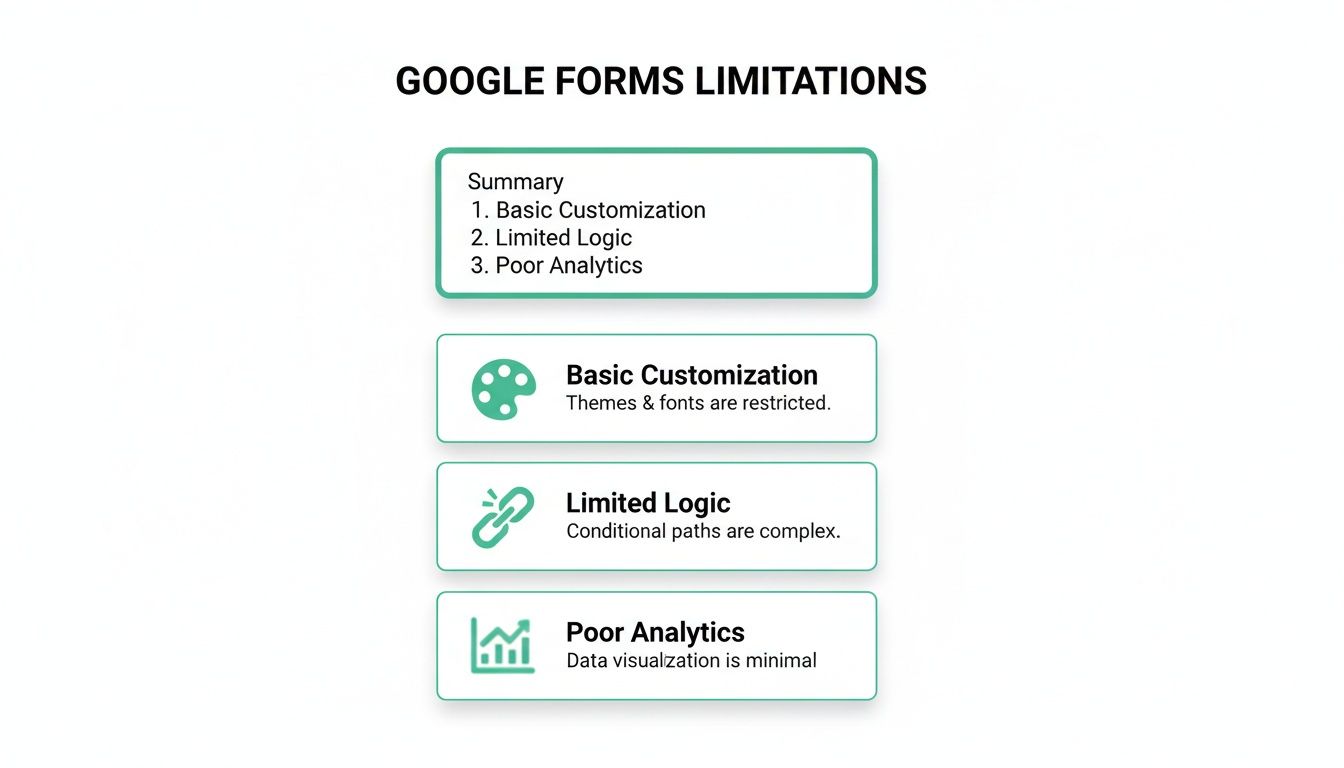
As you can see, the basic customisation, clunky logic, and non-existent analytics create a frustrating user experience that actively hurts conversion rates.
To help you choose the right tool for the job, we've created a quick feature matrix. This isn't an exhaustive list, but it highlights the key conversion-focused features that separate the pros from the freebies.
Feature Matrix of Leading Google Form Alternatives
This table compares key conversion-focused features across top form builders, helping you quickly identify the best fit for your lead generation needs.
| Feature | Google Forms | Jotform | Typeform | Outgrow |
|---|---|---|---|---|
| Conditional Logic | Basic (section-based) | Advanced (field-level) | Advanced (field-level) | Advanced (complex branching & calculations) |
| Calculations & Scoring | No | Yes | No | Yes |
| Brand Customisation | Limited | Extensive (CSS) | Good (conversational UI) | Extensive (CSS & templates) |
| Interactive Elements | No | Yes (widgets) | Yes (conversational format) | Yes (quizzes, calculators, assessments) |
| Analytics & Tracking | Basic response summary | Field-level drop-off | Completion rates | Full funnel analytics, drop-off rates |
| Native Integrations | Limited (Google Suite) | Extensive (CRM, payments) | Extensive (CRM, marketing) | Extensive (CRM, marketing, payments) |
This matrix gives you a bird's-eye view, but the real magic is in how you use these features. A powerful form builder isn't just a data collection tool; it's an active part of your sales and marketing funnel.
Advanced Conditional Logic and Branching
Google Forms offers basic logic that lets you jump between sections. It’s a start, but it’s nowhere near the granular control you need for a truly personal user experience. This is where modern form builders leave it in the dust.
Jotform and Typeform are masters of field-level conditional logic. You can show or hide a specific question on the same page based on a previous answer. For instance, if a user clicks "Other" in a list, a text box instantly appears for their custom answer. No awkward page reloads, no clumsy section jumps.
Formidable Forms goes a step further by letting you run calculations based on what a user enters. This is perfect for building instant quote generators or ROI calculators that deliver immediate value, something Google Forms simply can't do.
This dynamic, responsive capability is a game-changer. It turns a boring questionnaire into an interactive conversation, which keeps users hooked until they smash that "submit" button.
Design Flexibility and Brand Alignment
Your form is often the last thing a visitor sees before they convert. Its look and feel matter. A lot. A form that feels alien to your site can destroy trust and tank your completion rates. Google lets you change a few colours, but that’s not enough for a professional brand.
A form embedded on your website should feel like a native part of the page, not a third-party element dropped in. Seamless brand integration reinforces credibility at the exact moment a prospect is deciding whether to share their information.
Typeform is famous for its slick, one-question-at-a-time conversational style. It’s incredibly engaging and works beautifully on mobile. On the other hand, tools like WPForms and Jotform offer deep customisation via CSS, allowing you to match every font, button, and field to your site's design for a perfectly seamless look.
Interactive Elements for Engagement
The best Google Form alternatives go way beyond simple text boxes. They incorporate interactive elements that grab attention and give you richer data. This is where tools built specifically for lead generation really pull ahead.
In fact, many platforms are now designed from the ground up to build interactive content. If you're serious about creating high-converting lead magnets, check out our guide to the best online quiz makers, which are essentially supercharged form builders.
For example, top-tier assessment tools often include features like:
- Calculators: Instantly give users a personalised result, like a projected cost saving or a marketing score.
- Scoring: Assign points to different answers to automatically segment and qualify leads based on their needs or knowledge.
- Payment Fields: Securely process payments right inside the form using Stripe or PayPal integrations, a feature completely absent in Google Forms.
Analytics and Performance Tracking
You can't fix what you can't see. Google Forms gives you a basic summary of who answered what, but it offers zero insight into user behaviour. For any marketer trying to improve performance, this is a massive blind spot.
Professional form builders provide the analytics you need to actually boost your conversion rates:
- Field-Level Drop-Off Rates: Pinpoint the exact question that’s causing people to abandon your form.
- Completion Times: See how long it takes users to finish, helping you spot overly complex or long-winded sections.
- Conversion Tracking: Integrate directly with Google Analytics to track form submissions as actual conversion events in your marketing funnel.
This focus on robust analytics lets you make data-driven decisions to shorten your forms, clarify confusing questions, and ultimately, capture more leads. This is a level of insight you'll never get from Google's free tool, making a dedicated form builder a seriously worthwhile investment.
Choosing the Right Tool for Your Use Case
Picking a Google Form alternative isn't about finding the one with the most bells and whistles. It's about matching a tool's strengths to your actual goal.
The best form builder for a viral quiz is almost always the wrong choice for a detailed client onboarding process. If you don't align the tool to the task, you’re just collecting data in a slightly prettier box. That’s not the point.
Let’s break this down by common scenarios. This way, you choose a tool that actually drives results, not just submissions.
For Interactive Quizzes and Assessments
If your goal is to hook visitors and segment them based on their answers, a static form is a lead-gen killer. You need a tool built for conversation, where each question feels like a natural next step, not another field to fill out.
Here are the non-negotiables:
- Advanced Conditional Logic: You need to create smart, branching paths. A marketing quiz, for example, shouldn't ask someone who chose "Lead Generation" as their biggest challenge the same follow-up questions as someone who picked "Brand Awareness." It's just lazy.
- Lead Scoring: This is critical. You must be able to assign points to answers to automatically qualify leads. A prospect who scores high on questions about budget and buying intent can be tagged as ‘sales-ready’ and shot straight over to your sales team.
- Personalised Outcome Screens: The experience can't just die at the submit button. A solid quiz tool will show a custom results page based on the user's answers, delivering instant value that makes them want to give you their email.
For this stuff, tools like Outgrow or Typeform are in a league of their own. They were literally built to create these kinds of engaging, conversational experiences that pull in high-quality, pre-segmented leads.
For Instant Quotes and ROI Calculators
Calculators are absolute gold as lead magnets. Why? They offer immediate, real-world value for an email address. To build one, you need a tool that can actually handle math. Google Forms, obviously, can't do this.
An effective ROI calculator does more than just capture a lead; it frames the value of your solution in the prospect's own terms. By delivering an instant, data-driven insight, you shift the conversation from cost to investment.
The hero feature here is the calculation field. A tool like Formidable Forms or Jotform lets you create fields that run calculations based on what the user types in. Imagine a SaaS company with a calculator where a prospect enters their monthly ad spend and lead count, and the form instantly shows their potential savings using your platform.
That single interaction turns a passive form into an active sales consultation. You’re proving your value before a human ever has to.
100% Free Lead Magnet Audit
Our AI analyzes your website and delivers custom growth strategies in seconds.
For Complex Registrations and Client Intake
Onboarding a new client or registering people for a multi-day conference often means asking for a ton of information. Slapping 30 fields onto a single page is a fantastic way to get people to close the tab. The only sane way to handle this is to break it down.
Look for a Google Form alternative that can handle these things gracefully:
- Multi-Page Forms: Splitting a monster form into smaller, logical pages with a progress bar is essential. It lowers the cognitive load and makes people feel like they’re making progress. Finishing a five-step process feels achievable; a single page with 30 fields feels like homework.
- Save and Continue Functionality: For really long intake forms, letting users save their progress and come back later is a massive sign of respect for their time.
- File Upload Fields: Client onboarding almost always involves sending documents. A reliable, easy-to-use file upload is a must.
Platforms like WPForms and Jotform are great for this. Their multi-page features, combined with logic that hides irrelevant questions, can make even the most complicated data collection feel slick and painless.
Choosing the right tool always starts with defining the job-to-be-done. Match the platform's core DNA to your specific goal—whether it's engagement, value-delivery, or deep data collection—and your form will become a conversion machine, not just a digital clipboard.
Integrating Your Form Builder with Your Marketing Stack
A powerful form builder is more than just a place to collect names and emails. When you connect it to the rest of your marketing software, it becomes the central nervous system of your entire lead generation engine.
Picking a google form alternative isn't just about fancier designs or better logic—it’s about automating the whole journey, from the first click to the final sales call. Without that connection, you're just left with a static list of names, creating a ton of manual work and leaving money on the table.
The real magic happens when a form submission instantly kicks off a chain of automated actions. This seamless data flow makes sure every new lead gets nurtured, tracked, and analysed right away. Your form stops being a dumb box and starts acting like an intelligent part of your funnel.

Building Automated Lead Nurturing Workflows
The absolute must-have integration is connecting your form builder to your Customer Relationship Management (CRM) and email marketing platforms. This is where you turn a one-off submission into an actual relationship.
A simple workflow looks something like this:
- Lead Capture: A prospect finishes your interactive quiz or assessment.
- CRM Entry: Their info and answers are instantly zapped into your CRM, creating a new lead or updating an existing one. For example, a lead who says their budget is over $10,000 can be automatically tagged as "High-Value".
- Email Segmentation: Based on their quiz score or specific answers, they get added to a targeted email list (e.g., "Interested in SEO Services").
- Nurture Sequence: This triggers an automated welcome email sequence, dripping out relevant content that speaks directly to their interests.
This setup kills manual data entry, which is not only a massive time suck but also full of human error. You can get a deeper dive into connecting these systems in our guide to marketing automation and CRM integration strategies.
Connecting to Analytics for a Full Picture
Sure, your form builder probably has its own analytics, but piping that data into a central hub like Google Analytics gives you the complete story. By setting up form submissions as conversion goals, you can finally see which traffic sources, campaigns, and landing pages are actually driving the most valuable leads.
Integrating your form with your marketing stack turns it from a simple data collection point into an active, intelligent hub. It allows every submission to trigger a cascade of personalised actions, ensuring no lead ever falls through the cracks.
This level of tracking helps you attribute ROI accurately and make smart, data-driven decisions about where to spend your marketing budget. To get the most out of this, businesses should look for solutions that let them seamlessly enhance engagement through robust marketing automation integration, turning simple submissions into real customer journeys.
Global Considerations and Regional Integrations
If you're operating globally, you must think about regional software preferences and data privacy laws. Many regions have strong local form builders that are built with specific regulations like GDPR compliance and data privacy at their core.
For example, a number of EU-based tools have become popular as they often prioritize data residency and cater to local integration needs. You can explore more about European alternatives to Google Forms to get a better handle on these regional differences and find tools that align with international data protection standards.
Optimising Forms for Maximum Lead Generation
So, you’ve swapped Google Forms for a real conversion tool. That’s a great first step, but it’s just the starting line. The real wins come from relentless optimisation—turning that functional form into a lead-gen machine. You'd be surprised how small tweaks to design and copy can totally transform your submission rates.
The secret to a high-converting form is making it feel effortless for the user. Seriously, your goal is to reduce friction so much that it’s easier for someone to finish the form than to just give up and leave. This means you have to think beyond just what questions you ask and get obsessed with how you ask them.

Design and User Experience Best Practices
The difference between an average form and a great one often comes down to one thing: cognitive load. That's the amount of brainpower someone has to use to complete it. If your form looks like a long, complicated tax document, people will bail. Fast.
One of the easiest wins here is to use a multi-step layout. Don't dump 20 fields on a user at once—it’s intimidating. Instead, break it down into small, manageable chunks of 3-4 related questions per step. Throw in a progress bar, and you create a sense of momentum that makes the whole thing feel way less daunting.
Question order matters, too. A lot. Start with the easy stuff, like their name or industry, to get them committed. Save the high-friction questions—phone number, budget—for the very end. By then, they’re already invested and more likely to see it through.
Crafting Compelling and Clear Copy
Your words are just as crucial as your layout. Vague labels or a weak call-to-action (CTA) will absolutely kill your conversions. Every single piece of text, from the headline to the final button, needs to be crystal clear and give people a reason to keep going.
- Headline: Ditch the generic "Contact Us." Get specific and show the value. Try something like, "Get Your Free Marketing Audit in 24 Hours."
- Field Labels: Be explicit. "Work Email" is better than "Email." It removes ambiguity and tells the user exactly what you need.
- CTA Button: The button isn't just a button; it’s the final push. "Submit" is lazy. Use action-oriented phrases that echo the value, like "Download My Free eBook" or "Get My Custom Quote."
The best form copy gets inside the user's head and answers their silent questions: "What's in it for me?" "How long is this going to take?" and "What happens after I click this?" Clarity builds trust, and trust drives action.
The Critical Role of A/B Testing
You can’t improve what you don’t measure. A/B testing is your best friend here. It’s just a simple process of comparing two versions of your form to see which one performs better. I’ve seen tiny changes lead to massive jumps in completion rates.
The key is to test one thing at a time so you know exactly what made the difference. Here are a few ideas to get you started:
- Test the number of fields: Does a short-and-sweet 4-field form outperform a more detailed 7-field version? Run the test and see which one brings in more qualified leads.
- Test your call-to-action: Pit "Get Started" against "Request a Demo." You might be surprised which one resonates better with your audience.
- Test the form layout: Try a classic single-page form against a slick multi-step version. See which one cuts down on abandonment.
And remember, even the most perfectly optimised form won't work if the offer behind it is weak. Your lead magnet is the fuel. If you want to make sure your offer is truly irresistible, check out the Magnethive lead magnet audit tool. It is a 100% free tool that generates a comprehensive report with 3 AI-powered lead magnet ideas, analysis of your current lead magnet, and shows ROI impact.
Your Questions About Google Form Alternatives, Answered
Switching from a tool you know inside-out, like Google Forms, naturally brings up questions. You're probably wondering about the real cost, how much of a headache it'll be to move everything over, and if the benefits are actually worth the effort. Let’s tackle the big ones.
What's the Best Free Alternative to Google Forms?
When you’ve got no budget but need more power, two names keep coming up: Jotform and Tally.
Jotform’s free plan is a beast. You get access to features like conditional logic and payment integrations right out of the box. The catch? You're capped at 100 submissions a month. It's perfect if you need advanced features for low-volume forms.
Tally plays a different game. They offer unlimited forms and submissions for free, which is ridiculously generous. This makes it a no-brainer for high-traffic surveys or simple contact forms where you don’t need the most complex logic. Your choice boils down to this: advanced features (Jotform) or higher volume (Tally)?
How Painful Is It to Migrate from Google Forms?
Honestly, it's more straightforward than you think. You can't just "import" a Google Form, so you will have to rebuild it. But modern form builders have drag-and-drop editors that make this surprisingly fast. You're basically just copying and pasting your questions.
The real work is in reconnecting your integrations, like getting form data into a spreadsheet or your CRM. But tools like Jotform and Typeform have so many built-in connections (plus Zapier) that this is usually just a few clicks. Plan on spending a little time rebuilding and then thoroughly testing your most important forms.
Don't think of it as a migration. Think of it as an optimisation. This is your chance to fix the clunky user experience, streamline the questions, and align the form with a clear conversion goal—all the stuff Google Forms held you back from doing.
Are These Alternatives GDPR-Compliant?
Yes, and this is a huge reason why people switch. Serious form builders are designed for businesses that handle sensitive data and have to follow strict privacy laws. They go way beyond what Google's free tool offers.
Look for these key privacy features:
- Data Processing Agreements (DPAs): A clear contract outlining how your data is managed.
- EU Server Hosting: The option to keep all your data stored physically within the EU.
- Explicit Consent Fields: Built-in checkboxes to compliantly capture and record user consent.
Always double-check a platform's specific privacy policies and where their servers are located, but you’ll find that the leading alternatives are built for GDPR compliance from the ground up.
Is a Paid Form Builder Really Worth the Money?
If you generate leads or sales online, the answer is an easy yes. A paid tool pays for itself—often very quickly. The investment is justified by higher conversion rates from a better user experience, higher quality leads from scoring and conditional logic, and hours saved through automation.
Think about it this way: if a £40/month tool helps you land just one extra client you would have otherwise lost, it’s already delivered a massive return. The analytics alone will help you continuously improve your forms, compounding that ROI month after month. It's not an expense; it's an investment in a better conversion machine.