Build a Lead-Generating Automated SEO Audit Tool
Ditch static lead magnets. Learn how to build a custom automated SEO audit tool that provides instant value, captures better leads, and scales your business.

An automated SEO audit is a simple tool that instantly scans a website's on-page, off-page, and technical SEO factors, pulling data from various APIs to spit out a report. Forget waiting days for a manual review; this thing delivers immediate, data-driven feedback. It's one of the most powerful ways to show your value upfront and pull in seriously qualified leads.
Why Your PDF Checklists Are Failing
Honestly, how many downloadable PDFs are collecting digital dust in your downloads folder right now? You know the feeling. The marketing world has been shouting about lead magnets for years, but the standard playbook of static checklists and generic reports just feels completely broken.
The whole approach is a one-way street. You give away a file, and in return, you get an email that might not even be real. It’s a cheap exchange that rarely shows off your expertise or solves a visitor's actual, unique problem in any meaningful way. You're left guessing if they even opened the file, let alone found value in it.
The core issue is this: static content offers passive information, not an active, personalised experience. It tells someone what to look for but doesn't lift a finger to help them find it on their own site.
This is where the entire model falls apart. You’re asking for trust and contact information in exchange for a document that just creates more work for the user. It’s a transaction, not the start of a relationship.
The Shift from Static Information to Interactive Value
An automated SEO audit completely flips this dynamic on its head. Instead of a dead document, you're offering an interactive experience that provides instant, personalised value. It solves a real problem from the very first click, making visitors actually want to talk to you.
Think about the difference in the user experience for a second:
- Static PDF: A user downloads your "10-Point SEO Checklist." They might skim it, maybe open it once, and then it's forgotten. They're left to do all the heavy lifting themselves.
- Interactive Tool: A user pops their URL into your audit tool. Within seconds, they get a custom report that pinpoints their site's specific errors and opportunities. They see your expertise in action, not just on paper.
This is the power of building simple tools. They don't just tell; they show. They deliver a tangible result that is directly relevant to the user’s situation, which is infinitely more compelling than another generic PDF. To really nail this, you have to understand the fundamentals of how to conduct an effective SEO audit in the first place—that's the blueprint your tool will follow.
Moving Beyond the One-Way Street
The real problem with most lead magnets is that they fail to build any momentum. The conversation dies the moment the file is downloaded. It's a huge blind spot for marketers, which is why we've already covered why PDF lead magnets are a dying strategy in more detail.
An automated tool, on the other hand, is the start of a conversation. It diagnoses the problem and naturally positions you as the solution. This isn't about a hard sell; it's about being genuinely helpful at scale and proving your value before you ever ask for a single cent. It's time to build something better.
Where to Get the Data for Your Audit Engine
An automated SEO audit isn't magic. It's just a clever combination of reliable, real-time data. The first and most critical job is figuring out how to pull this information together without paying enterprise-level fees.
Forget the myth that you need a massive Ahrefs or Semrush subscription to build something valuable. The truth is, you can stitch together a seriously powerful data engine by combining a simple crawler with a few well-chosen APIs.
This data-gathering process is the heart of your tool. It's what fetches the raw materials—on-page elements, technical signals, off-page metrics—that your scoring logic will turn into a genuinely helpful report. It’s the engine that transforms your idea into a lead-generating machine.
This is the fundamental shift: you're moving from a static, one-way lead magnet to a dynamic, interactive diagnostic experience.
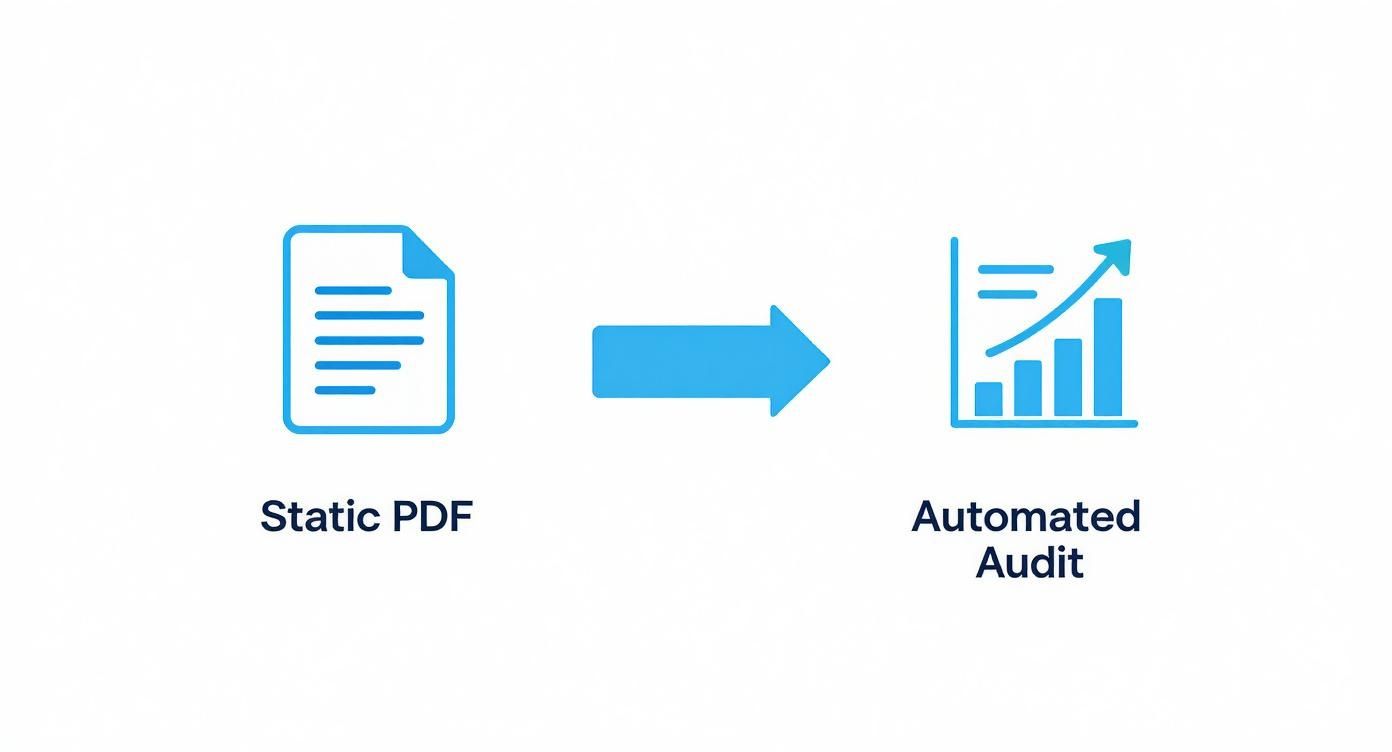
Moving from a passive PDF to an automated audit transforms your lead generation from a simple file exchange into an active, value-driven experience. It’s night and day.
Kick Things Off With Your Own Crawler
The first layer of data is the most direct: the on-page SEO factors you can pull straight from the URL a user submits. You don't need a complex system for this at all. A simple web crawler, built with a library like Puppeteer (for Node.js) or BeautifulSoup (for Python), is more than enough to handle this initial scan.
Your crawler’s only job is to visit the page and scrape the fundamental on-page elements. This gives you the core data for the most immediate and tangible SEO fixes you can recommend.
Here’s what your crawler should grab, minimum:
- Title Tag: Is it there? Is it too long or short?
- Meta Description: Does it exist and is it within the optimal character count?
- H1 Tag: Crucially, is there one—and only one—per page?
- Image Alt Text: How many images are on the page, and how many are missing alt text?
- Internal & External Links: Get a quick count of the links on that specific page.
This foundational data costs almost nothing to get and forms the basis for all the high-impact, "quick win" recommendations your tool will spit out. It's the perfect place to start.
Tap into Third-Party APIs for Deeper Insights
While your crawler handles the on-page basics, you need to enrich your audit with off-page and authority metrics. This is where you bring in the big guns—third-party APIs from established SEO tool providers. They give your tool the depth and credibility it needs to be taken seriously.
Below is a quick rundown of the essential data sources you'll want to tap into. Think of this as your shopping list for building a comprehensive audit.
Core Data Sources and APIs for Your Audit Tool
| Data Category | Primary API or Tool | Key Metrics to Capture |
|---|---|---|
| On-Page SEO | Custom Crawler (Puppeteer/BeautifulSoup) | Title tags, meta descriptions, H1s, alt text, internal/external link counts. |
| Domain Authority | Moz Link Explorer API | Domain Authority (DA), Page Authority (PA), total linking root domains. |
| Backlink Profile | Semrush API or Majestic API | Number of backlinks, referring domains, anchor text distribution (basic). |
| Technical SEO | Google Lighthouse API | Performance Score, Core Web Vitals (LCP, CLS), mobile-friendliness, accessibility. |
| Keyword Data | Semrush API or SpyFu API | Top ranking keywords (for the submitted URL), estimated organic traffic. |
This combination gives you a well-rounded view, covering the most critical aspects of a site's health without needing a single, monolithic (and expensive) data provider.
Here's a take: You don't need the most expensive, all-encompassing API plan to start. Many providers offer entry-level API tiers that provide more than enough data for a powerful lead-gen tool. Just focus on the metrics that matter most to potential clients.
When piecing this together, think about how you might build an actionable AI overview tracker. The principle is the same: focus only on signals that lead to clear, understandable actions.
Let Google's Lighthouse Handle the Tech Audit
Finally, to round out your data collection, you need to assess the site's technical health. And there's no better source for this than Google itself. The Lighthouse API is a free, powerful, and trusted resource for measuring performance, accessibility, and other technical SEO vitals.
By baking Lighthouse into your backend, you can programmatically run an audit and pull key scores and diagnostics directly from the source. This adds a layer of official, trusted data to your report that users find incredibly valuable.
Make sure you grab these Lighthouse metrics:
- Performance Score: A top-level score that summarises page speed.
- Core Web Vitals: The big ones, like Largest Contentful Paint (LCP) and Cumulative Layout Shift (CLS).
- Mobile-Friendliness: An assessment of the user experience on mobile devices.
- Accessibility Score: Identifies issues that could hinder users with disabilities.
Combine these three sources—your crawler, a third-party SEO API, and Google's Lighthouse—and you have a complete, robust dataset. You now have everything you need to build a comprehensive, automated report that diagnoses real problems and highlights opportunities.
How to Design a Meaningful Scoring System

So, you’ve gathered all this fantastic data. You can see title tags, domain authority, and Core Web Vitals. But here’s the harsh truth nobody wants to hear: raw data is just noise. It's completely useless to the average user.
Your potential client doesn't care about a laundry list of twenty images missing alt text or five pages with a slightly slow load time. They care about one thing: what to fix first to get results. This is where you move from being a data provider to an expert guide.
This section is where you embed your agency’s expertise directly into the code. A truly effective automated SEO audit isn't a data dump; it's a prioritised action plan. It’s your chance to show the user that you don't just find problems—you understand their impact.
From Raw Data to Weighted Scores
The foundation of a meaningful scoring system is a weighted algorithm. Not all SEO issues are created equal, and your tool's logic must reflect that. A no-index tag on the homepage is a five-alarm fire, a genuine business emergency. A slightly long title tag, on the other hand, is a minor tweak.
Your first job is to assign an "impact weight" to every single data point your audit checks. This weight reflects how much that specific issue can actually hurt a site's performance.
Here’s a simple framework to get you started:
- Critical Errors (Weight: 8-10): These are the showstoppers. Issues that can completely tank a site’s visibility.
- High-Impact Issues (Weight: 5-7): These cause significant problems and should be addressed as a high priority.
- Medium-Impact Issues (Weight: 2-4): These are important best practices that are being missed.
- Low-Impact Issues (Weight: 1): Minor tweaks and optimisations that are good to have but not urgent.
This weighting system transforms your audit from a simple checklist into a smart diagnostic tool. It’s what gives your final "Site Health" score real meaning.
Categorising Issues by Impact
Let's break down how you might categorise common SEO findings. This isn’t an exhaustive list, but it's a practical starting point for building your own logic.
Critical Fixes (Score Impact: High)
These are the non-negotiables. If your tool finds any of these, they should be flagged with bright red warnings.
- Homepage is Not Indexable: Check for
no-indextags or a blocking rule inrobots.txt. This is the single biggest error a site can have. - SSL Certificate is Invalid or Missing: A site without HTTPS is actively distrusted by both browsers and search engines.
- Critical Core Web Vitals Failure: Especially a very poor LCP or CLS score on the homepage, indicating a terrible user experience.
High-Impact Opportunities (Score Impact: Medium-High)
These are the issues that are seriously holding a site back from its potential. Fixing them often leads to noticeable gains in traffic and rankings.
- Missing or Duplicate H1 Tags: The H1 is a fundamental on-page signal. Every important page needs one, and only one.
- Low Domain Authority (DA): While a third-party metric, a very low DA (e.g., below 10) signals a serious lack of trust and authority.
- No XML Sitemap Found: This makes it harder for search engines to discover and crawl all the important pages on a site.
Quick Wins (Score Impact: Low-Medium)
These are the low-hanging fruit. They are often easy to fix and can collectively make a big difference.
- Missing Meta Descriptions: While not a direct ranking factor, they heavily influence click-through rates from search results.
- Images Missing Alt Text: An accessibility and SEO best practice that helps search engines understand image context.
- Title Tags Too Long or Too Short: Sub-optimal title tags can get truncated in search results, hurting click-through rates.
By bucketing your findings this way, you create a clear narrative for the user. Instead of showing them 50 individual problems, you present them with three clear categories: stop the bleeding, focus on growth, and tidy up the details.
100% Free Lead Magnet Audit
Our AI analyzes your website and delivers custom growth strategies in seconds.
Calculating the Final Score
Once you have your weights and categories, calculating an overall score becomes straightforward. You can create a simple formula that translates the weighted errors into an intuitive percentage, like a "Site Health" score from 0-100%.
The real magic isn't the final number itself, but what it represents. A score of 65% isn’t just a number; it’s a conversation starter. It immediately creates a gap and makes the user think, "How do I get to 100%?"
This psychological trigger is incredibly powerful. It frames the problem in a way that naturally leads to a solution—your services. It's one thing to see a list of problems; it’s another to see a tangible score that you can actively work to improve.
This is why interactive tools that demonstrate value are so effective. If you're interested in showing value upfront, you can also learn more about how to design an effective ROI calculator for lead generation, which operates on a similar principle of turning abstract benefits into concrete numbers.
Remember, the goal is to empower, not overwhelm. My own experience taught me that giving users a clear score and just three actionable next steps is far more effective than a 20-page report. A well-designed scoring system transforms your automated SEO audit from a confusing data report into a clear, actionable roadmap that makes users feel understood and ready to take the next step.
Designing a User Experience That Converts

You’ve wired up the best data sources and cooked up a brilliant scoring system. On paper, your automated SEO audit tool is ready to go. But let’s talk about the single most overlooked piece of this puzzle: the user experience.
Here’s a hard truth I’ve learned from building these tools: the most sophisticated data in the world is completely useless if the interface is clunky, confusing, or just plain boring.
Your UI is what turns a powerful backend into a lead-gen machine. It's the critical bridge between a curious visitor and a qualified lead. Get this part wrong, and even the most insightful audit engine will fall flat on its face. The user’s journey is where trust is either built instantly or lost forever.
The Frictionless Entry Point
A user’s first interaction sets the tone. Your goal here needs to be radical simplicity. Every single click, every field, every moment of hesitation is a chance for them to leave.
This is not the place to ask for their first name, last name, company size, and job title. I know it's tempting, but resist that urge. Each additional field is another little piece of friction, another reason for them to bounce.
Your entry point should be ruthlessly minimal:
- A single URL field: This is all you actually need to start the magic.
- An email field: This is where you'll send the gold. Be upfront about it.
That’s it. Two fields. This low-commitment setup respects their time and dramatically boosts the chances they'll actually start. It immediately signals that you're here to provide value, not just harvest their data.
Designing an Engaging Loading Experience
The second a user hits “Analyse,” a critical psychological window opens up. They’ve handed over their details and are now waiting for the payoff. A static "loading..." spinner is a huge missed opportunity. It creates anxiety and makes them wonder if anything is even happening.
Instead, build a loading experience that shows progress and builds anticipation. This isn't just about looking slick; it's about managing expectations and reinforcing the value of what’s happening behind the scenes.
A great loading screen does more than just wait. It communicates the work being done on the user's behalf, turning dead time into a value-building exercise. It subtly says, "We're running a powerful, multi-point analysis just for you."
Here are a few ways to pull this off:
- Show a dynamic checklist: Display a list of the checks being performed ("Analysing Title Tags," "Checking Backlinks," "Running Performance Test") and tick them off as they complete.
- Use a progress bar: A simple bar moving from 0% to 100% gives clear, immediate feedback on how long they need to wait.
- Display helpful tips: As the audit runs, cycle through quick SEO stats or actionable tips. Keep them engaged.
This turns a moment of potential friction into a part of the value proposition, keeping the user invested while your tool does its work.
Presenting a Clean and Visual Report
When the audit is done, this is your moment to shine. It's where you deliver on the promise. The absolute biggest mistake you can make here is dumping a wall of text or a dense spreadsheet on them. They'll feel overwhelmed, confused, and click away.
The report has to be clean, visual, and instantly scannable. Your design should communicate complex information at a single glance.
- Use colour-coding: Red for critical errors, amber for warnings, and green for passes. It’s a universal language that instantly flags priorities.
- Leverage simple charts: Donut charts or simple bar graphs are perfect for visualising scores like "On-Page SEO," "Technical Health," and "Authority."
- Focus on the top-level score: Make the overall "Site Health" score the hero of the page. It gives them an immediate benchmark to latch onto.
The goal is to present your findings in a way that feels empowering, not intimidating. The design should naturally guide their eyes from the big picture score down to the specific categories and, finally, to the actionable fixes.
This entire UX flow, from that first click to the final report, is your most powerful sales tool. It’s a live demonstration of your expertise. When I was building our free tool, Magnethive, which generates a report with AI lead magnet ideas and analyses existing ones, I obsessed over this journey. The result was a tool that feels intuitive and helpful every step of the way, making the user want to learn more.
The Lean Tech Stack for Building Your Tool
Let's talk tech, but don't tune out. A lot of people I talk to think building a useful interactive tool requires a venture-backed budget or a massive engineering team.
That's just not true anymore. You can ship a powerful, professional-grade automated SEO audit tool with a surprisingly lean and affordable tech stack.
The trick is to stop thinking you need to build everything from scratch. Instead, we can piece together modern, scalable, and ridiculously cheap services that do all the heavy lifting for us. This lets you pour your energy into what actually matters: the audit logic and the user's experience, not server maintenance.
Building a Serverless Backend
The engine of your tool—the part that calls APIs, runs your crawler, and crunches the numbers for the final score—should live on a serverless platform. Think AWS Lambda or Google Cloud Functions.
This is an absolute game-changer for a project like this one.
Instead of paying for a server that's humming along 24/7, you only pay for the few seconds of compute time your code actually uses each time someone runs an audit. For a lead magnet, this is brutally efficient. Your costs will be pennies per audit, not hundreds of dollars a month for a server that's sitting idle most of the time.
As for the language, Node.js or Python are perfect choices.
- Node.js: It's brilliant at handling lots of simultaneous API requests and has great libraries like Puppeteer for web crawling.
- Python: A fantastic option with a huge ecosystem of data analysis and web scraping libraries like BeautifulSoup and Requests.
Honestly, the choice between them just comes down to what you or your team prefers. Both are more than capable of handling the workload.
Choosing a Modern Frontend Framework
Now for the part of your tool that users actually see and click on. For this, you'll want a modern, component-based JavaScript framework. This is what makes your tool feel snappy, responsive, and professional.
React or Vue.js are the two obvious front-runners here. They let you build your interface as a collection of reusable components—like the URL input form, the loading animation, and the final report sections. It makes development way faster and the final product much easier to maintain and update later.
This approach gives you that slick, app-like feel that a static, page-reloading website just can't deliver. It's the secret sauce that makes the user experience feel seamless from the moment they land on your page to the second their personalised report appears.
A controversial but important point: Don't over-engineer the frontend. Your goal isn't to win design awards; it's to generate qualified leads. A clean, simple, and fast interface built with a standard framework will always, always outperform a clunky, over-designed mess.
Managing Keys and API Limits Securely
This is a detail you absolutely cannot afford to get wrong. Your tool will be juggling API keys for services like Moz, Semrush, and Google Lighthouse. These keys are sensitive and should never, ever be exposed in your frontend code.
All API calls must be made from your serverless backend. The frontend simply sends the user's URL to your backend function, which then securely uses its stored API keys to fetch the necessary data. You should be storing these keys in a dedicated service like AWS Secrets Manager or Google Secret Manager.
You also need to be mindful of rate limits. Most APIs limit how many requests you can make in a given timeframe. Your backend code should include logic to handle these limits gracefully, maybe by spacing out requests or caching results for recently audited domains to avoid hitting the same API twice for the same URL. This keeps your costs down and ensures your tool stays reliable even when it gets popular.
Common Questions (and Honest Answers) About Building Audit Tools
Building your first interactive tool feels like a big leap. It's totally normal for a flood of questions to hit you. You start wondering about the actual costs, the skills you really need, and if the whole thing is even going to work.
Let's cut through the noise and tackle the questions that pop up most often when you're planning an automated SEO audit tool.
How Much Is This Thing Actually Going to Cost Me?
This is the big one, the question that stops most people in their tracks. But here’s the truth: the ongoing costs for a lean setup are surprisingly low. Your main fixed cost will be API subscriptions for pulling in data like backlinks and domain authority. Depending on the volume you need, this can run anywhere from under $100 to a few hundred a month.
But the real magic happens with the processing costs. By using serverless functions, you're literally paying pennies per audit. A well-designed, high-value tool can easily run for a low monthly fee, which means the ROI from landing just one new client is massive.
Do I Need to Be a FAANG-Level Coder to Build This?
Absolutely not. You need some coding knowledge, but you don't need to be a principal engineer from Google.
If you have an intermediate grasp of a backend language like Python or Node.js and you're comfortable with a frontend framework like React, you have more than enough firepower to ship a powerful version one.
The code itself isn't the hardest part. The real challenge is nailing the logic. Talking to third-party APIs is usually dead simple because their documentation is solid. The serverless architecture also shoulders most of the heavy infrastructure lifting, freeing you up to focus on the one thing that matters: the application logic that actually delivers value to your users.
How Do I Stop People from Scraping or Abusing My Tool?
A very real worry, especially once your tool starts getting some love. But don't sweat it too much—a few simple layers of protection are all you need.
- Gate the full report. This is non-negotiable. Always, always require an email to unlock the complete results. It's the whole point of your lead gen strategy and your first line of defence.
- Use rate limiting. Put some rules on your API to stop a single IP address from hammering it with hundreds of requests in a minute. This shuts down the most common type of lazy, brute-force scraping.
- Add a CAPTCHA. A simple service like Google's reCAPTCHA on your form is incredibly effective at weeding out automated bots before they even get started.
These layers create just enough friction to put off the bad actors without getting in the way of genuine prospects who are eager to see their results.
What's the Single Most Important Thing for Success?
Forget the tech stack. Forget the specific APIs or the number of checks you run.
The success of your audit tool comes down to one thing and one thing only: the clarity and immediate value of the final report.
The technology is just the delivery mechanism. The real test is that moment when a user sees their results. If they can instantly understand the top three things they need to fix and why it matters for their business, you've won.
That little spark of insight is what builds trust. It’s what makes them see you as the expert they desperately need to hire.